
El Paso VINE Arrest Coverage
Colorado runs its victim notification through VINELink, the state's supported VINE service. EPSO Victim Assistance points to it. Sheriff policy calls for giving domestic-violence victims the information they need. They can self-register for release alerts. That confirms El Paso County takes part for supported jail events. Still, coverage has edges. A court date change may never appear. Nor will every arrest, transfer, or release from an outside custody system.
VINE works from custody data that participating agencies supply. Someone gets booked at the El Paso County Criminal Justice Center. VINE then helps you watch that one record. It is not EPSO's current inmate search. Nor is it a police report or the Colorado Judicial Branch docket. Each covers a different stage.
The county jail holds pretrial detainees, some sentenced people, and others held for outside agencies. VINE shines when a supported status event touches one record. It does not feed out the whole jail population. Police contacts that ended in a citation rather than detention stay off it entirely.
| Source | Best use | Boundary |
|---|---|---|
| EPSO roster | Current named-person county jail check | No browse-all date feed or guaranteed public photo |
| Colorado VINE | Supported custody status and notifications | May lag intake and does not carry the final case result |
| Colorado Judicial docket | Hearings, bond proceedings, and disposition | Not a custody-notification service |
| CDOC search | State prison or supervision lookup | Not ordinary county pretrial custody |
Check an El Paso VINE Record
Have enough identifying details before you search. A common name can pull up more than one person, and misspellings can bury a valid record. Follow the official path:
- Open VINELink and select Colorado as the service location.
- Choose the person search and enter the name or available offender identifier. Add other lawful identifying details when the interface offers them.
- Compare every result carefully. Match the facility, identifier, and available identity fields rather than relying on the name alone.
- Open the correct record and read the status, facility, and available custody information.
- If the result is missing or time-sensitive, check EPSO's roster and call the jail before relying on the screen.
The official VINELink landing screen begins the Colorado custody search.
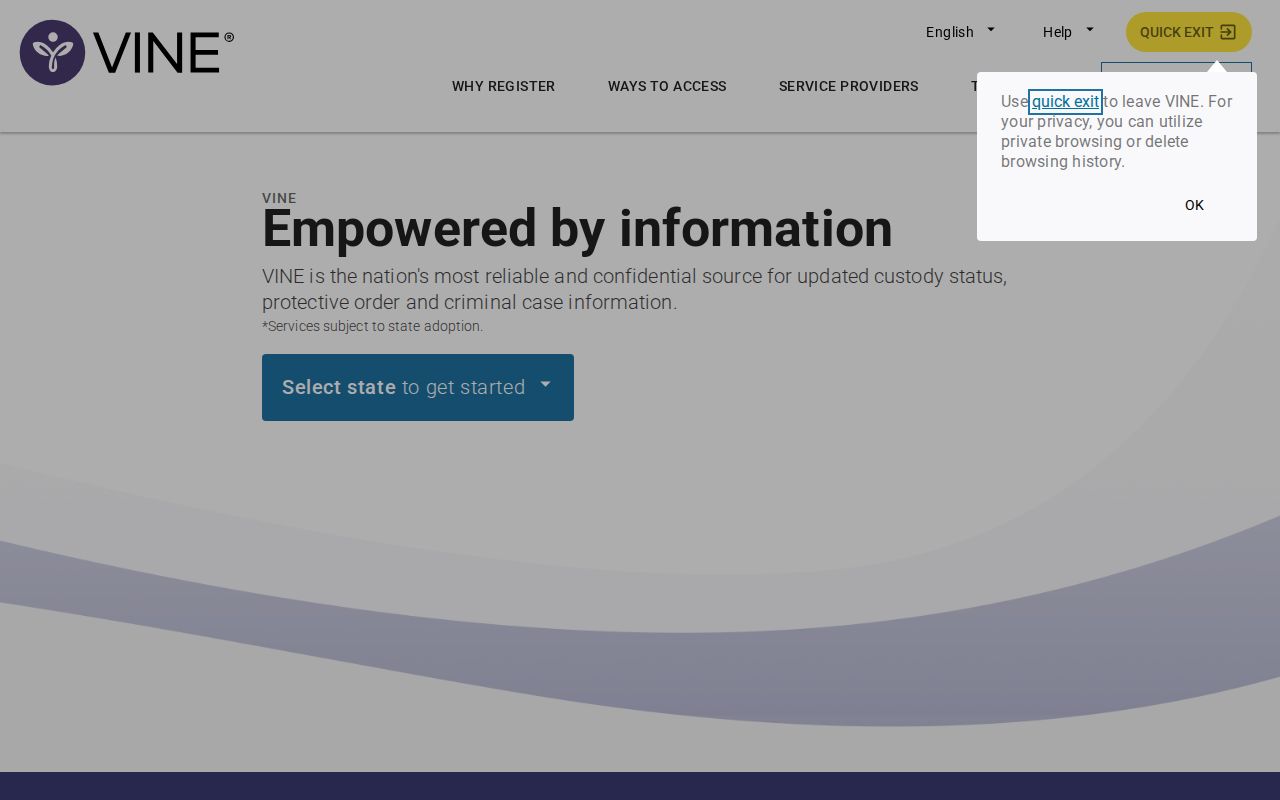
This screen is a person-search gateway. It is not a public roster of arrestees. For the booking record itself, see the El Paso County recent-arrests hub, since VINE centers on custody and alerts.
El Paso VINE Result Fields
Which fields appear depends on the live interface, and agencies differ. Treat this inventory as a guide to supported functions rather than a fixed layout.
| Field | How to read it |
|---|---|
| Name and identity details | Used to separate possible matches; a name alone is not enough for firm identification. |
| Offender or record ID | A VINE or source-system identifier; it may differ from an EPSO booking number and court case number. |
| Custody status | The latest supported event supplied to VINE, subject to transmission and processing time. |
| Facility or agency | Shows the source linked to the record and can indicate where confirmation should be sought. |
| Release or transfer event | May trigger a notice where that event and registration method are supported. |
| Registration option | Lets a user subscribe through offered contact channels and manage confirmation details. |
Keep timing words precise. Arrest is the law-enforcement event. Booking means jail intake. Release ends that custody period, while transfer hands the person to another agency or facility. The court docket still holds the case's legal progress. A custody status alone will not explain a transfer. When an alert lacks context, ask the source facility what event it recorded.
Register for El Paso Alerts
Registration starts once the correct person record is selected. Let the channels and event choices shown in VINELink control, since Colorado instructions describe phone and email signup with a PIN to confirm telephone notices. Keep that PIN private.
- Select the notification or registration option from the matched record.
- Choose an available method, such as telephone or email, and enter the contact information accurately.
- Select the supported custody event options shown for the record.
- Create or record any required PIN. Use it to confirm a notice when prompted.
- Save the registration confirmation and update the subscription if contact details change.
The Colorado VINELink person-search route leads toward the matched record and registration choices.
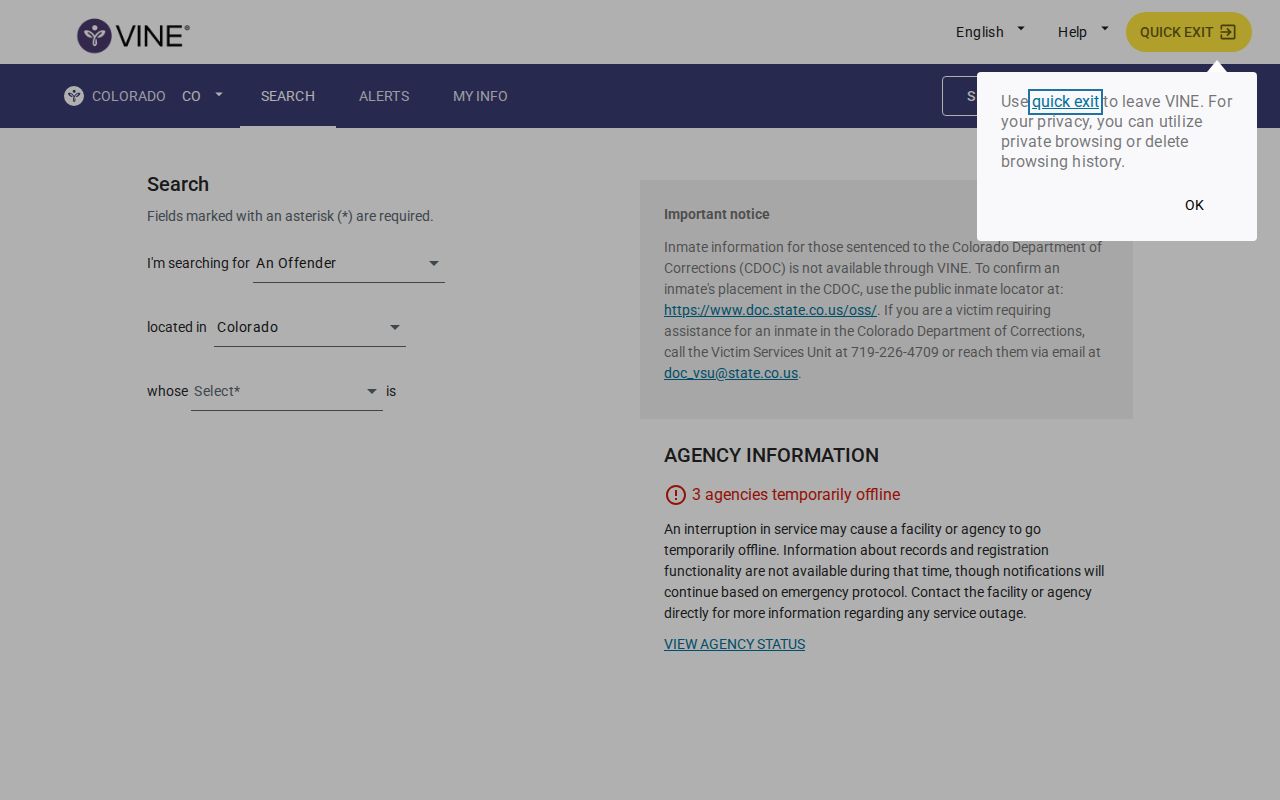
Trust the live labels on screen. VINELink may revise its route or registration interface. More than one trusted contact can register separately if the service permits it. Each person keeps their own contact details and PIN. Never share a PIN in a public message, or leave it where someone else could cancel or acknowledge alerts. Update the registration whenever a phone number or email address changes rather than assuming notices will follow.
Verify El Paso VINE Alerts
Treat an alert as a prompt to verify, not a full picture. Data can lag a fresh booking. A release from the county jail might mean bond, a court order, finished sentence time, a transfer, or a cleared hold. A transfer can place the person under another agency. The charges do not end there. For a new intake, the Arrested Today workflow helps. Call the EPSO booking desk at 719-390-2151 when the answer is urgent. The jail's main line is 719-390-2000, and EPSO Records at 719-520-7177 handles formal record questions.
Colorado DOC VINE Boundary
Colorado's custody systems do not form one unbroken chain. Legislative budget material says the Colorado Department of Corrections notification system does not interoperate with state VINE. CDOC skips VINE over confidentiality concerns. Someone can leave county VINE coverage and later surface in state prison or on supervision. The alert behavior changes there.
Use the official Colorado DOC offender search when state custody seems likely. Searches accept a DOC number, name, gender, and CAPTCHA. A DOC number is not an EPSO booking number. CDOC also runs separate victim and constituent-service channels.
Federal and immigration custody need other tools. The Bureau of Prisons locator covers federal inmates. ICE keeps its own detainee locator. VINE is none of those things. Do not treat it as a federal, immigration, or universal state-prison alert system.
Note: A disappearance from one custody tool can mean transfer, release, data lag, or record restriction rather than a closed case.
Use El Paso Alerts Safely
Guard your VINE account like a password. Keep the PIN private and the registration details to yourself. Before subscribing, confirm the person is the one you mean to track. Several names may match. Sort them out with the source facility, an identifier, or other details on the record.
Local support is close at hand for victims in El Paso County. EPSO Victim Assistance and the official VINE instructions both walk you through setup. Call 911 for emergencies, or 719-390-5555 for non-emergency dispatch. Remember that VINE is only an information tool. It is no substitute for a safety plan, a court order, or direct agency guidance.
Public Record Search
Sponsored Results